How to Make a Pixel Art Game in 2026: Complete Guide for Beginners
How to Make a Pixel Art Game: The Complete Guide
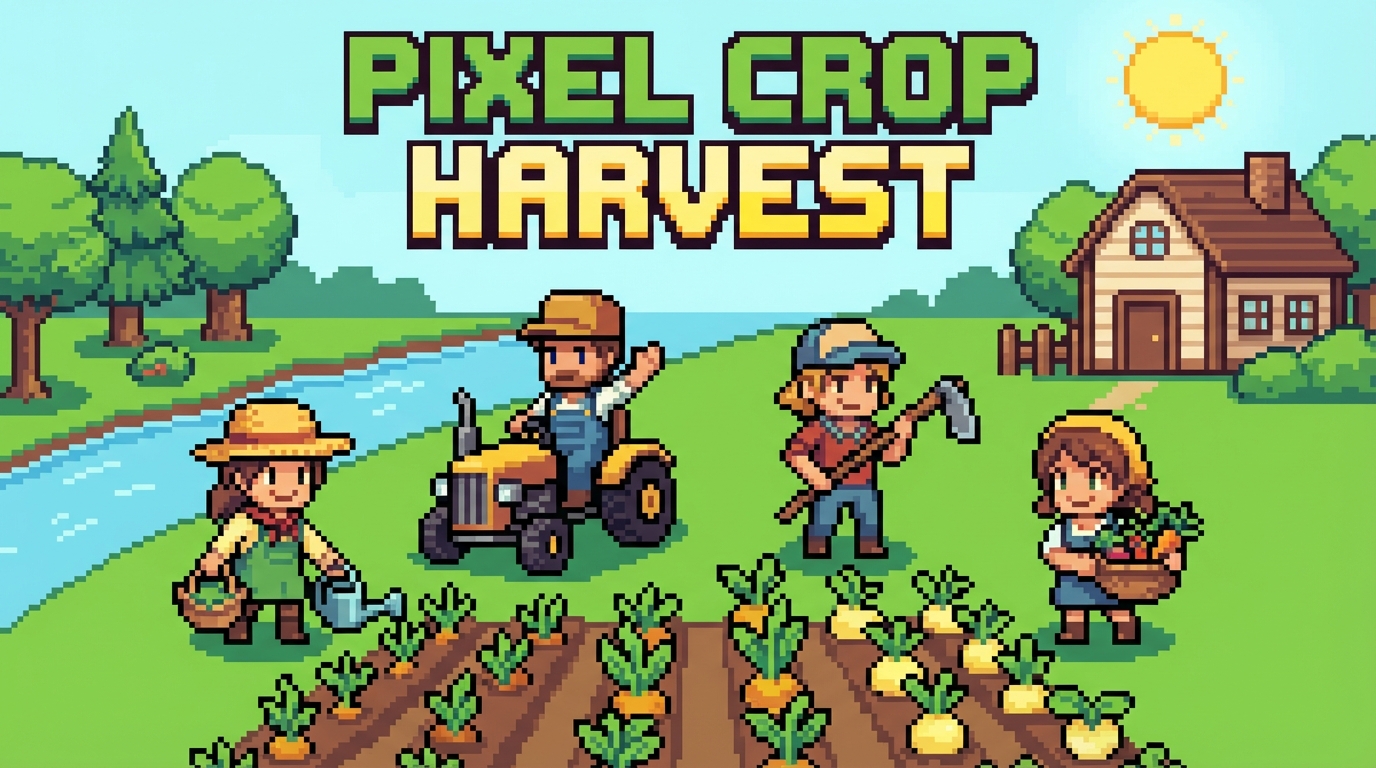
Why Pixel Art Games Dominate Indie
Pixel art is the #1 art style for indie game success because:
- Low barrier to entry: One person can create beautiful pixel art
- Nostalgic appeal: Resonates with 30+ age demographic AND Gen Z retro lovers
- Fast iteration: Change a sprite in minutes, not hours
- Small file sizes: Perfect for web, mobile, and Switch
- Timeless aesthetic: Good pixel art from 1995 still looks great today
Pixel Art Success Stories
Step 1: Choose Your Resolution
Recommendation for beginners: 16×16 tiles at 320×240 resolution.
Step 2: Master the Fundamentals
Color Palette Rules
1. Limit your palette: 16-32 colors max
2. Hue shifting: Shadows aren't just darker — shift hue toward blue/purple
3. Contrast: At least 3 value steps per material (light, mid, shadow)
4. Consistency: Same palette across ALL assets
Famous Palettes to Use
- PICO-8 (16 colors): Perfect for Game Boy style
- Endesga 32: Beautiful, versatile 32-color palette
- DB32: Classic 32-color palette by DawnBringer
- Sweetie 16: Warm, cozy 16-color palette
Anti-Aliasing (AA) vs No AA
- Manual AA: Place intermediate color pixels at edges (smooth look)
- No AA: Keep hard edges (crisper, more "retro" feel)
- Rule: Don't mix — pick one approach and stick with it
Step 3: Character Design for Pixel Art
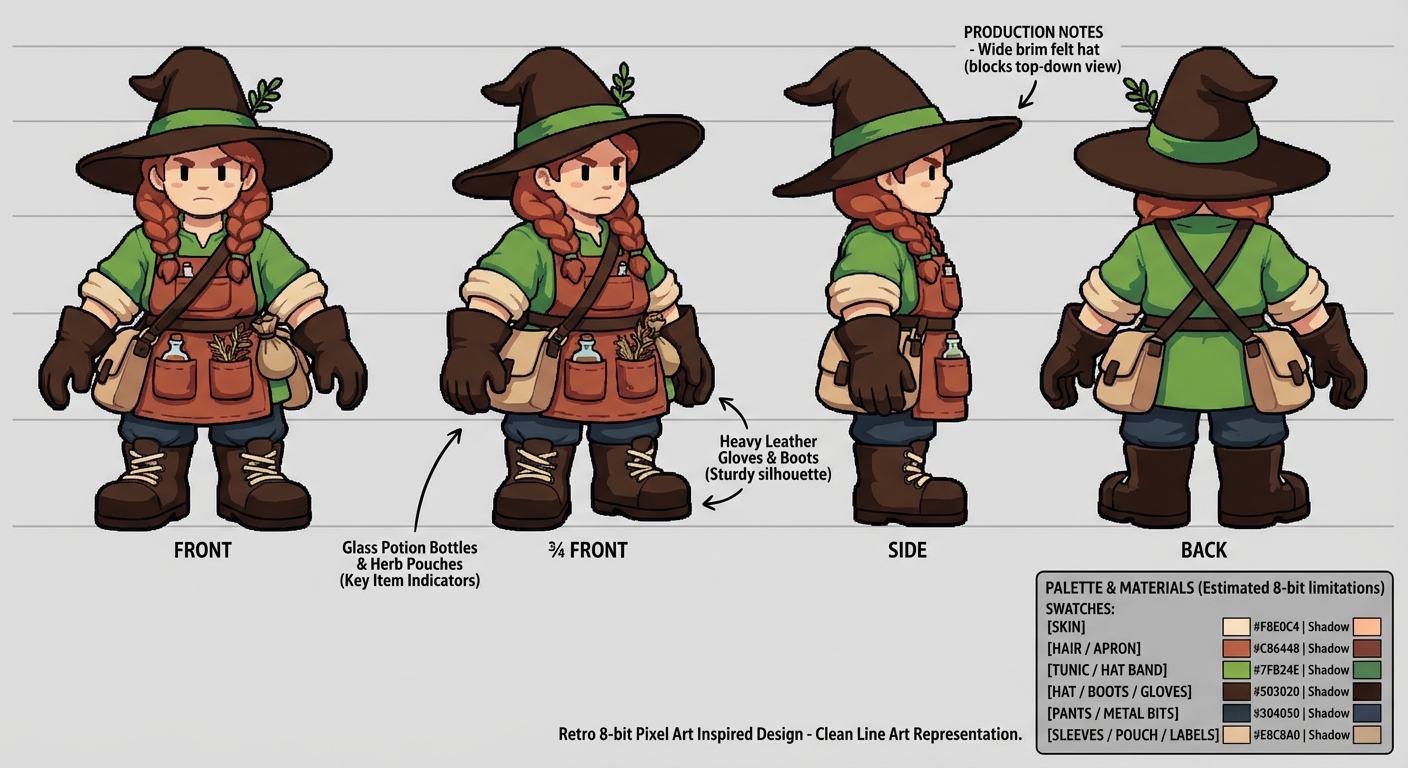
The 4-View Turnaround
- Front, back, left, right
- Same proportions across all views
- Key features readable at game zoom
Animation Frame Counts
Character Proportions
- Chibi (2-3 heads tall): Cute, farming games, RPGs
- Standard (4-5 heads tall): Action games, platformers
- Realistic (6-7 heads tall): Mature themes, fighting games
Step 4: Tileset Creation
The Essential Tileset
┌─────────────────────────────────┐
│ Ground tiles (4+ variations) │
│ Grass, dirt, stone, sand, snow │
├─────────────────────────────────┤
│ Edge tiles (auto-tile set) │
│ 47-tile blob for smooth edges │
├─────────────────────────────────┤
│ Objects & props │
│ Trees, rocks, fences, flowers │
├─────────────────────────────────┤
│ Buildings │
│ House, shop, barn, church │
├─────────────────────────────────┤
│ Water tiles │
│ Still, animated (3 frames) │
└─────────────────────────────────┘
Auto-Tiling Systems
- 4-bit (16 tiles): Simple, corners only
- 8-bit (47 tiles): Full blob auto-tiling (industry standard)
- Wang tiles: Advanced seamless patterns
Step 5: Tools You Need
Step 6: Game Engines for Pixel Art
Godot Pixel Perfect Setup
project.godot settings for pixel art
display/window/size/viewport_width = 320
display/window/size/viewport_height = 240
display/window/size/window_width_override = 1280
display/window/size/window_height_override = 960
display/window/stretch/mode = "viewport"
rendering/textures/canvas_textures/default_texture_filter = 0 # Nearest
Step 7: Common Pixel Art Mistakes
1. ❌ Too many colors — Limit to 16-32
2. ❌ Pillow shading — Light source should be directional, not center-out
3. ❌ Jaggies — Clean up staircase pixels manually
4. ❌ Inconsistent pixel size — Never mix pixel scales
5. ❌ Banding — Avoid parallel lines of different colors
6. ❌ Noise — Random dithering looks messy; use intentional patterns
> Generate concept art and reference sheets for your pixel art game with Game & Anime ARMY — character designs, environment moods, prop sheets — then pixel-ize them.
Ready to Create Your Game?
Game & Anime ARMY generates 300+ production-ready assets — characters, environments, props, tilesets — in one click.
👉 Try Game & Anime ARMY Free →