How to Create a Racing Game in 2026: The Complete Step-by-Step Guide
How to Create a Racing Game in 2026: The Complete Guide
Racing games are one of the most popular and profitable genres in gaming history. From *Forza Horizon* to *Gran Turismo*, from *Need for Speed* to *Burnout*, the racing genre has generated billions of dollars in revenue. In this definitive guide, we'll walk you through every step of creating your own racing game.
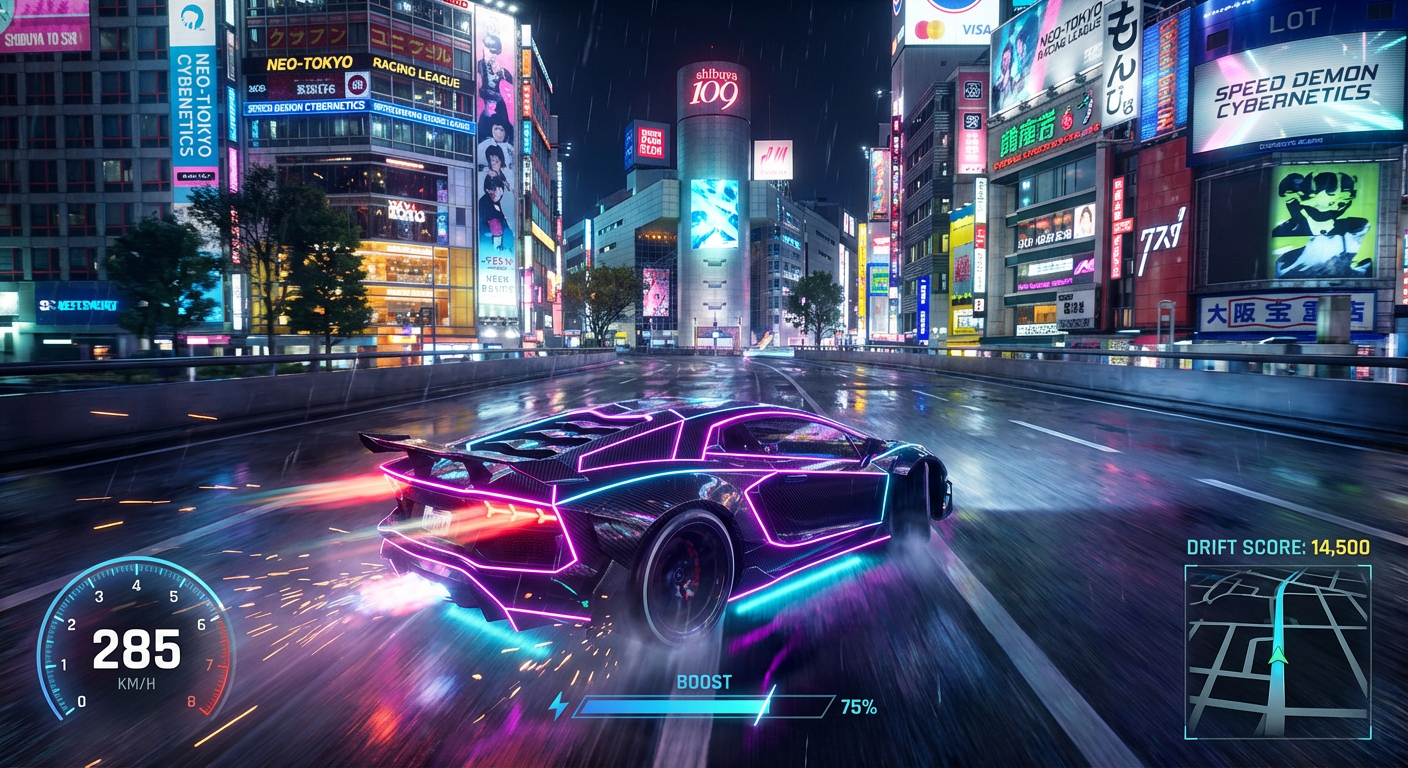
Why Build a Racing Game?
- Massive audience: Racing games appeal to casual AND hardcore gamers
- Cross-platform potential: PC, console, mobile — racing works everywhere
- Monetization: Car skins, track DLCs, battle passes, seasonal events
- Replayability: Leaderboards, time trials, and multiplayer create infinite replay value
Step 1: Define Your Racing Sub-Genre
Step 2: Game Design Document (GDD) Template
[GAME NAME] — Racing Game GDD
High Concept
One-sentence pitch: "[Your game] is [reference game] meets [unique twist]"
Example: "Neon Drift is Burnout meets cyberpunk Tokyo with AI-controlled traffic"
Core Loop
1. Select car → 2. Choose track → 3. Race → 4. Earn credits →
5. Upgrade/unlock → 6. Repeat with harder tracks
Camera System
- Chase cam (default)
- Bumper cam
- Cockpit cam (sim)
- Cinematic replay cam
Physics Model
- Arcade: simplified grip, generous drift windows
- Simcade: realistic weight transfer, assisted braking
- Simulation: tire temperature, aero downforce, fuel consumption
Progression System
- Career mode (50+ races)
- Online seasons
- Daily/weekly challenges
- Car collection (50+ vehicles)
Step 3: Vehicle Physics
The most critical system in any racing game. Here's a simplified car controller:
// Unity C# — Arcade Racing Controller
public class ArcadeCarController : MonoBehaviour
{
public float maxSpeed = 200f;
public float acceleration = 30f;
public float turnSpeed = 100f;
public float driftFactor = 0.95f;
public float gravity = 10f;
private Rigidbody rb;
private float currentSpeed;
private float turnInput;
void Start() { rb = GetComponent<Rigidbody>(); }
void FixedUpdate()
{
float gas = Input.GetAxis("Vertical");
float steer = Input.GetAxis("Horizontal");
// Acceleration
currentSpeed = Mathf.Lerp(currentSpeed, maxSpeed * gas,
acceleration * Time.deltaTime);
// Forward movement
rb.velocity = transform.forward * currentSpeed * Time.deltaTime;
// Steering (speed-sensitive)
float speedFactor = currentSpeed / maxSpeed;
float turn = steer * turnSpeed * speedFactor * Time.deltaTime;
transform.Rotate(0, turn, 0);
// Drift physics
if (Input.GetKey(KeyCode.Space))
{
rb.velocity = Vector3.Lerp(rb.velocity,
transform.forward * rb.velocity.magnitude,
driftFactor * Time.deltaTime);
}
// Gravity
rb.AddForce(-Vector3.up * gravity, ForceMode.Acceleration);
}
}
Step 4: Track Design Principles
1. The Racing Line: Design tracks with a clear optimal path
2. Elevation Changes: Hills, bridges, tunnels add excitement
3. Width Variation: Narrow sections for tension, wide for overtaking
4. Landmarks: Players need visual reference points for memorization
5. Shortcuts: Hidden paths reward skilled players
Track Layout Formulas
- Sprint: Start → Finish (no laps)
- Circuit: Closed loop (3-5 laps)
- Point-to-Point: A → B through open world
- Elimination: Last place eliminated each lap
Step 5: AI Opponents
// Waypoint-based AI racing controller
public class RacingAI : MonoBehaviour
{
public Transform[] waypoints;
public float maxSpeed = 180f;
public float steerForce = 3f;
private int currentWaypoint = 0;
void Update()
{
Vector3 target = waypoints[currentWaypoint].position;
Vector3 direction = (target - transform.position).normalized;
// Steer toward waypoint
float angle = Vector3.SignedAngle(
transform.forward, direction, Vector3.up);
transform.Rotate(0, angle * steerForce * Time.deltaTime, 0);
// Move forward
transform.Translate(0, 0, maxSpeed * Time.deltaTime);
// Next waypoint
if (Vector3.Distance(transform.position, target) < 10f)
currentWaypoint = (currentWaypoint + 1) % waypoints.Length;
}
}
Step 6: Visual Polish
Racing games are extremely visual. You need:
- Car models with LOD (Level of Detail)
- Environment art: cityscapes, mountains, deserts, neon cities
- VFX: tire smoke, sparks, rain drops, motion blur, lens flare
- HUD: speedometer, minimap, position indicator, lap counter
> Pro tip: Use Game & Anime ARMY to generate concept art for your cars, drivers, tracks, and HUD designs — 300+ assets in minutes.
Step 7: Multiplayer Architecture
Step 8: Monetization
- 🏎️ Car skins & wraps: $1-5 each
- 🛣️ Track DLC packs: $5-15
- 🎫 Season pass: $10-20/season
- 🏆 Battle pass: Weekly challenges with rewards
- 💎 Premium currency: For cosmetics only (never pay-to-win)
Revenue Projections
Tools & Engines for Racing Games
1. Unreal Engine 5: Best for AAA visuals (Nanite, Lumen)
2. Unity: Best for mobile/indie racing
3. Godot: Free, open-source, growing community
4. Game & Anime ARMY: Concept art & asset generation
Launch Checklist
- [ ] 10+ unique tracks
- [ ] 20+ vehicles with variations
- [ ] Career mode (5+ hours)
- [ ] Online multiplayer (8+ players)
- [ ] Leaderboards & replays
- [ ] Controller support
- [ ] 60 FPS minimum
- [ ] Tutorial/onboarding race
Ready to Create Your Racing Game?
Game & Anime ARMY generates 300+ production-ready assets — cars, tracks, drivers, HUDs — in one click.
👉 Try Game & Anime ARMY Free →